Author Name: Cyndi Powell
Library System: Washington County Free Library
Top 3 things learned:
1. Learned about circuits and how to make squishy circuits and paper circuits.
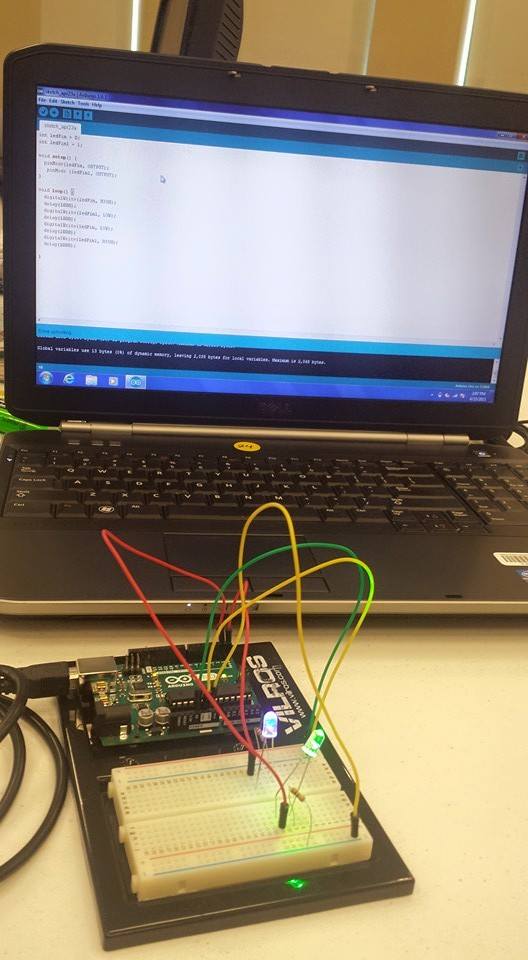
2. Learned how to use an arduino and a raspberry pi.
3. Learned ways we can incorporated these different technology devices into programs at the library.
How to implement:
As a part of this training/program, each library branch got a coding kit, which was purchased by WMRL (THANKS SO MUCH!) The kits were all inclusive (more than I was expecting), so they are ready to go and ready to be used by kids and teens alike. I hope to share the information I learned with the branch managers and other staff so that they can take full advantage of these awesome resources!
Picture of the day: http://www.wmrl.info/sites/default/files/webform/arduino.jpg
Showing posts with label coding. Show all posts
Showing posts with label coding. Show all posts
Wednesday, May 6, 2015

Code in the Libraries: Coding Kits
Author Name: Jennifer Ross
Library System: Washington County Free Library
Top 3 things learned:
How to implement:
We will definitely be offering some of the coding programming at our library soon, like the LED and conductive thread bookmarks and some more of the great coding resources.
Additional learning:
Can't wait to get more time playing around with the Arduino.
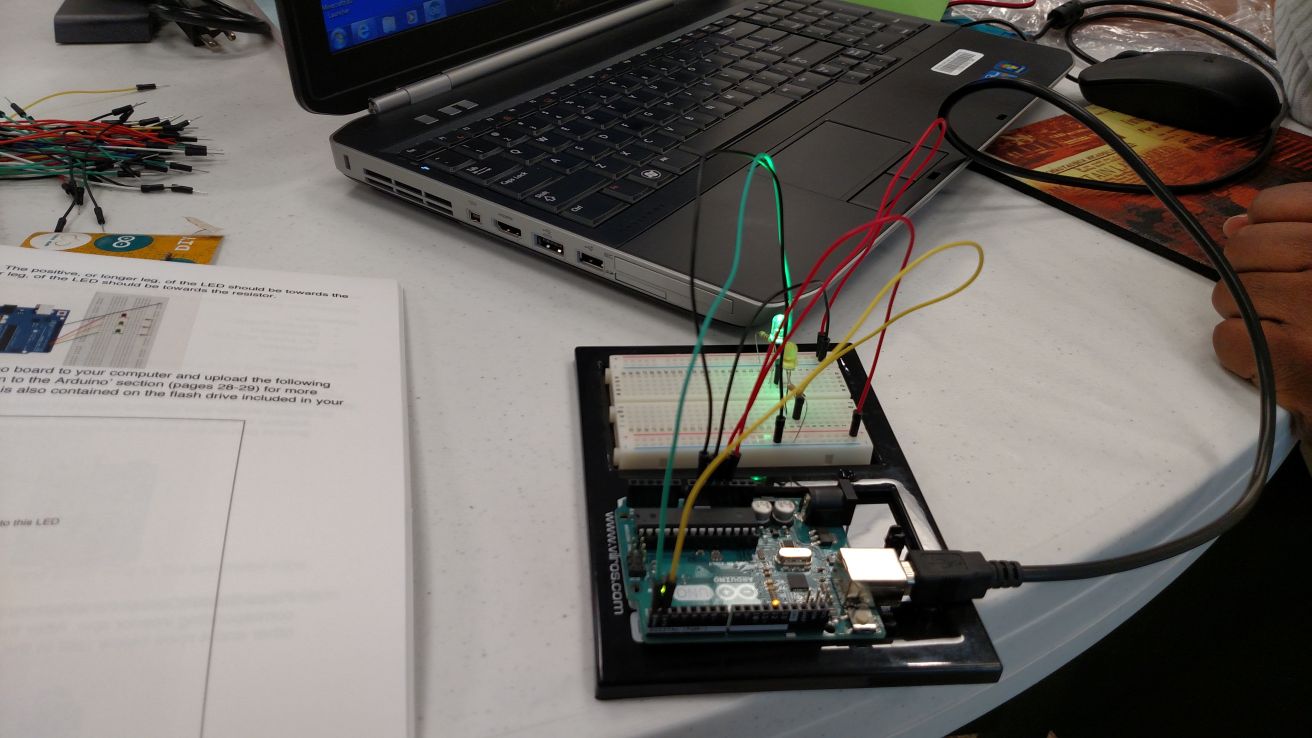
Reflection Image:
http://www.wmrl.info/sites/default/files/webform/code%20in%20the%20library%202.jpg
Library System: Washington County Free Library
Top 3 things learned:
- Teaching Circuits, like the "Squishy Circuits" we made out of Play Dough and 9 volt batteries and LED lights, is a great way to help children grasp the logic and concepts behind computer code.
- There are a lot of games to help kids grasp coding as Blocks of Coding Language.
- Having mini-computers, like the Arduino, make it easier to understand the working "guts" of the computers, which also help kids learn to code.
How to implement:
We will definitely be offering some of the coding programming at our library soon, like the LED and conductive thread bookmarks and some more of the great coding resources.
Additional learning:
Can't wait to get more time playing around with the Arduino.
Reflection Image:
http://www.wmrl.info/sites/default/files/webform/code%20in%20the%20library%202.jpg
Code in the Libraries: Coding Kits
Author Name: Tammy L. Gantz
Library System: Washington County Free Library
Top 3 things learned:
How to implement:
All of these ideas could lead to library programs and classes for all ages.
Additional learning:
This class was very technical. More training in these areas would be needed before I would be comfortable leading a class in these areas.
Library System: Washington County Free Library
Top 3 things learned:
- Learned how to create a squishy circuit and a parallel circuit.
- Looked at different block based programming languages such as scratch.
- Programmed an arduino to switch and LED on and off.
- Learned how to set up a Raspberry Pie.
How to implement:
All of these ideas could lead to library programs and classes for all ages.
Additional learning:
This class was very technical. More training in these areas would be needed before I would be comfortable leading a class in these areas.
Code in the Libraries: Coding Kits
Author Name: Adryana Billotti
Library System: Washington County Free Library
Top 3 things learned:
How to implement:
I hope to begin planning upcoming programs that use coding and different circuitry tools to teach kids and teens the same things that I learned in the program.
Additional learning:
I would like another class that provides program ideas that can be done with these different tools that we gained a basic understanding of. Now that I have a basic understanding and idea of how to use the tools, I would like to create a list of program possibilities.
Library System: Washington County Free Library
Top 3 things learned:
- How to set up and run a computer using a raspberry pi
- How to make a squishy circuit
- Simple coding that was used to make LED lights turn on and off
How to implement:
I hope to begin planning upcoming programs that use coding and different circuitry tools to teach kids and teens the same things that I learned in the program.
Additional learning:
I would like another class that provides program ideas that can be done with these different tools that we gained a basic understanding of. Now that I have a basic understanding and idea of how to use the tools, I would like to create a list of program possibilities.
Subscribe to:
Posts (Atom)